Create & Share
Generate a payment link for a customer or invoice and share it directly from your platform.

Create a link, send it to your customer and track every payment from Peko. Collect across multiple currencies with transparent pricing and fast settlement.
*T+1 settlement applies once the AED 250 settlement threshold is reached.
Give customers an easier way to pay while giving your team better visibility over what has been requested, received and still needs attention.
Generate a payment link for a customer or invoice and share it directly from your platform.
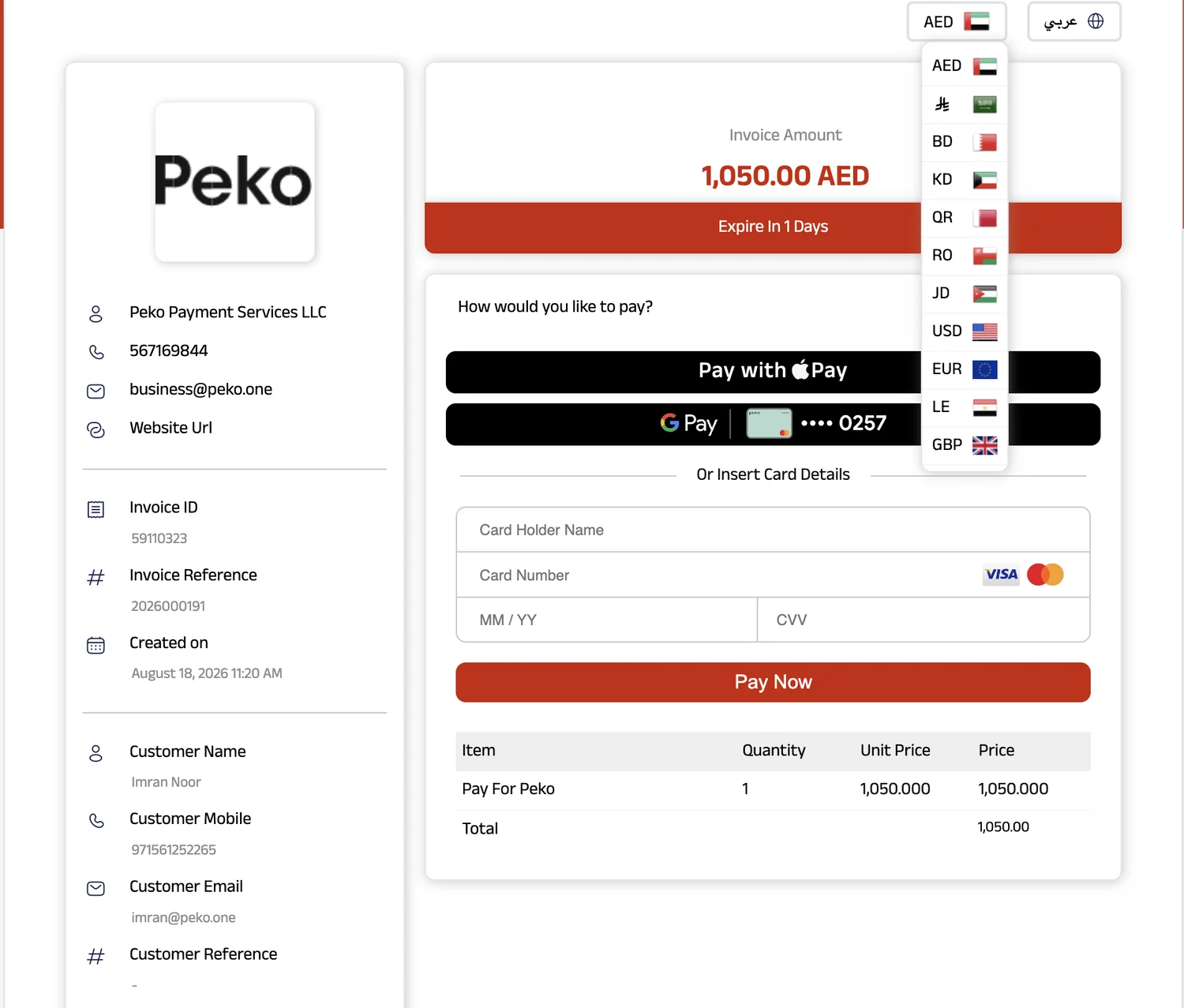
Give customers the flexibility to pay through supported currencies from the payment page.
Reduce manual chasing with payment reminders that help move outstanding requests forward.
See requested amounts, received payments, pending payments and individual payment status.
The product experience stays simple for your team and familiar for your customers.
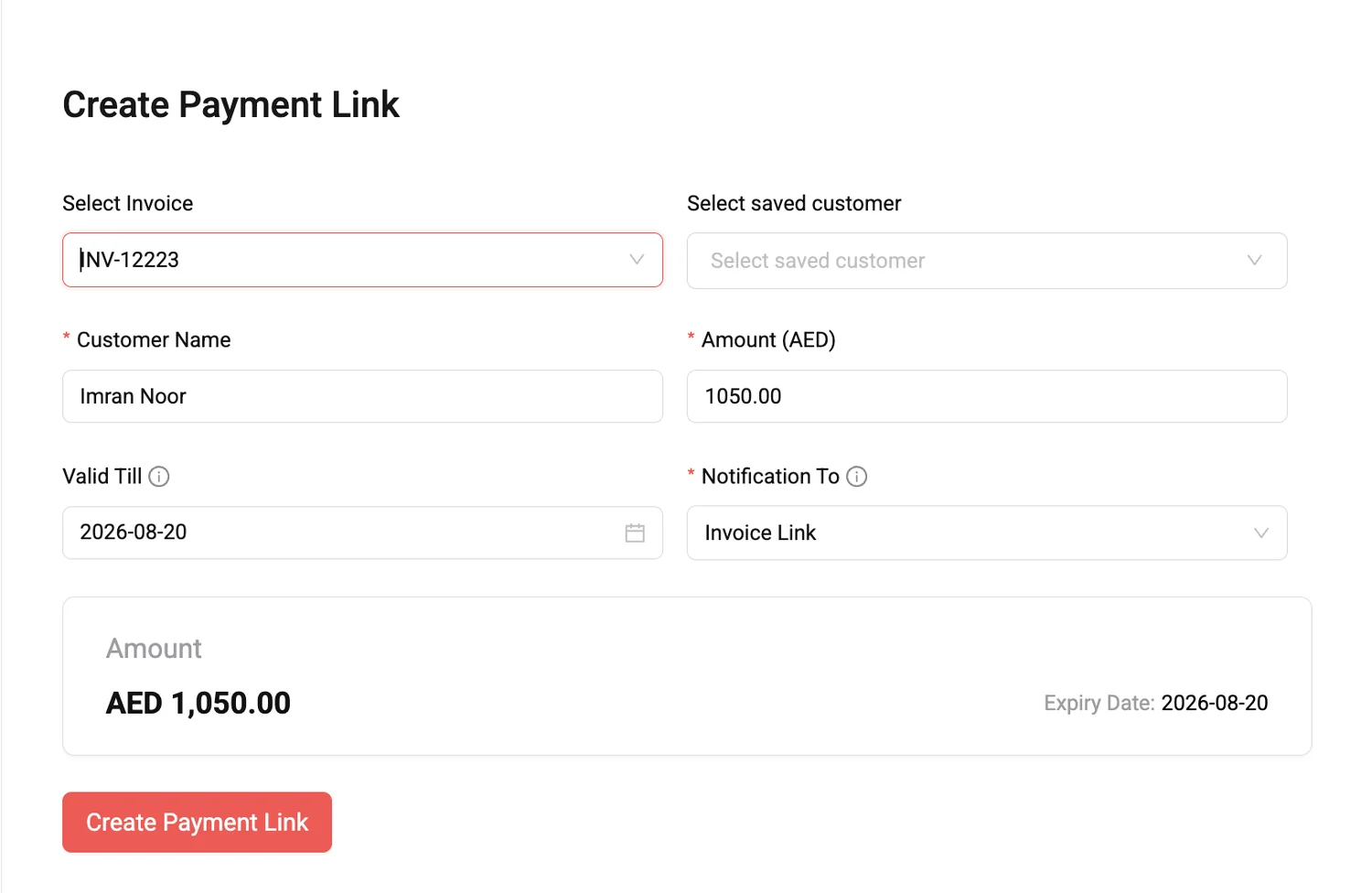
Select an invoice or customer, enter the amount and set the link validity.
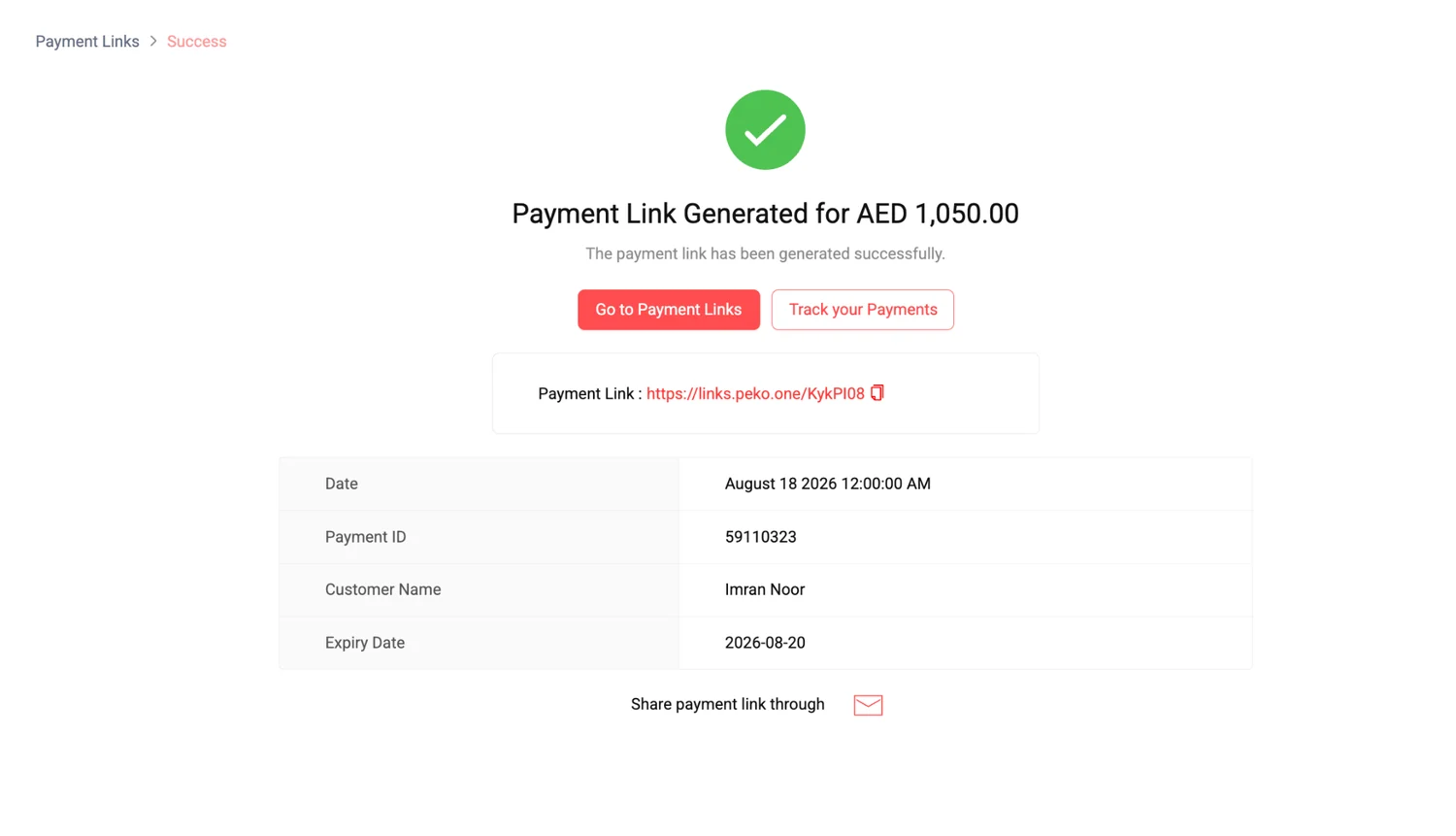
Peko creates the payment link so your team can copy it or share it with the customer.
The customer opens the link and pays through the available payment methods and supported currency options.
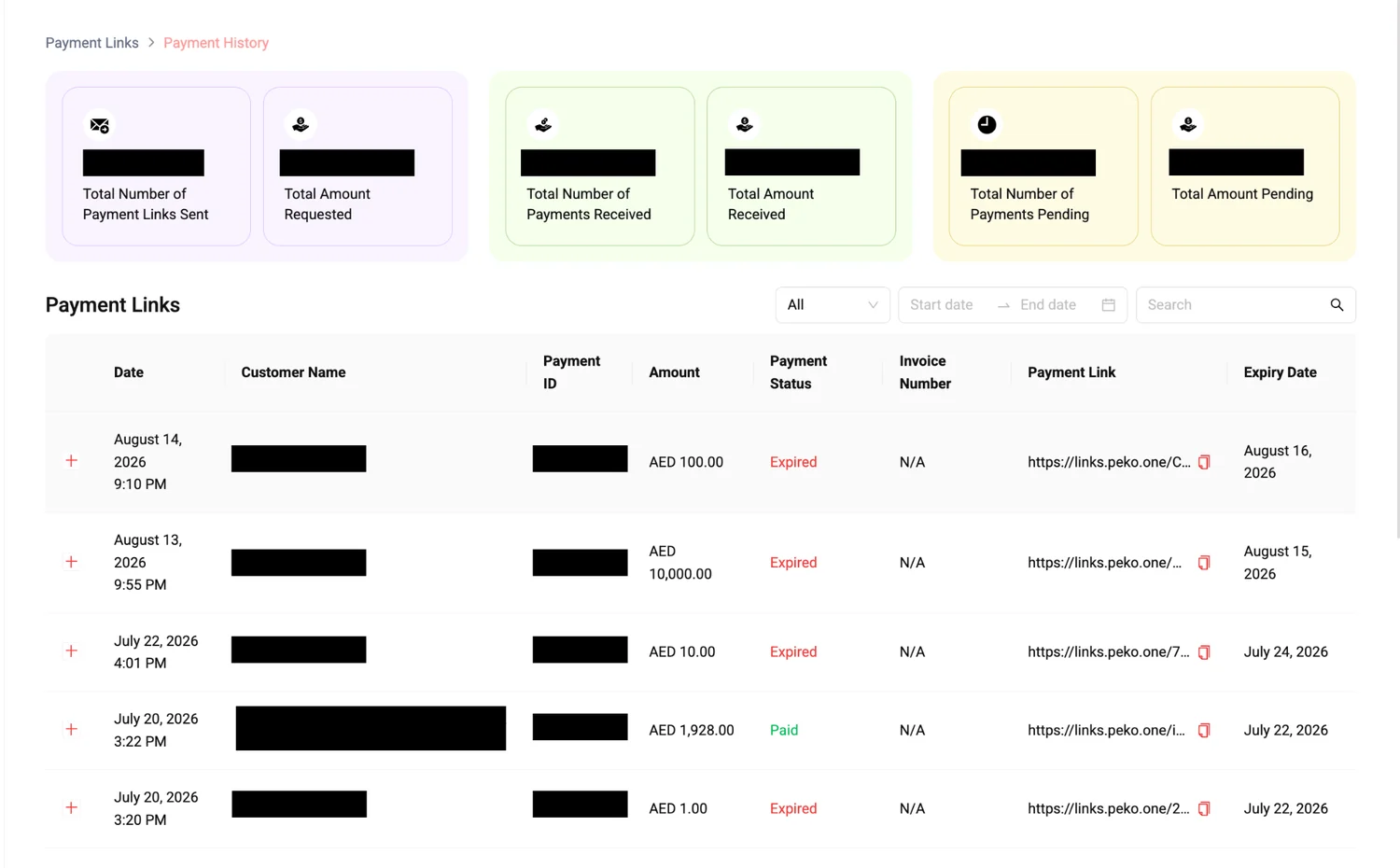
Monitor total requests, amounts received, pending payments and the status of individual links.
Two numbers buyers care about, made clear before they ever need to speak with Sales.
Per successful transaction.
Settlement on the next business day once the settlement threshold is met.
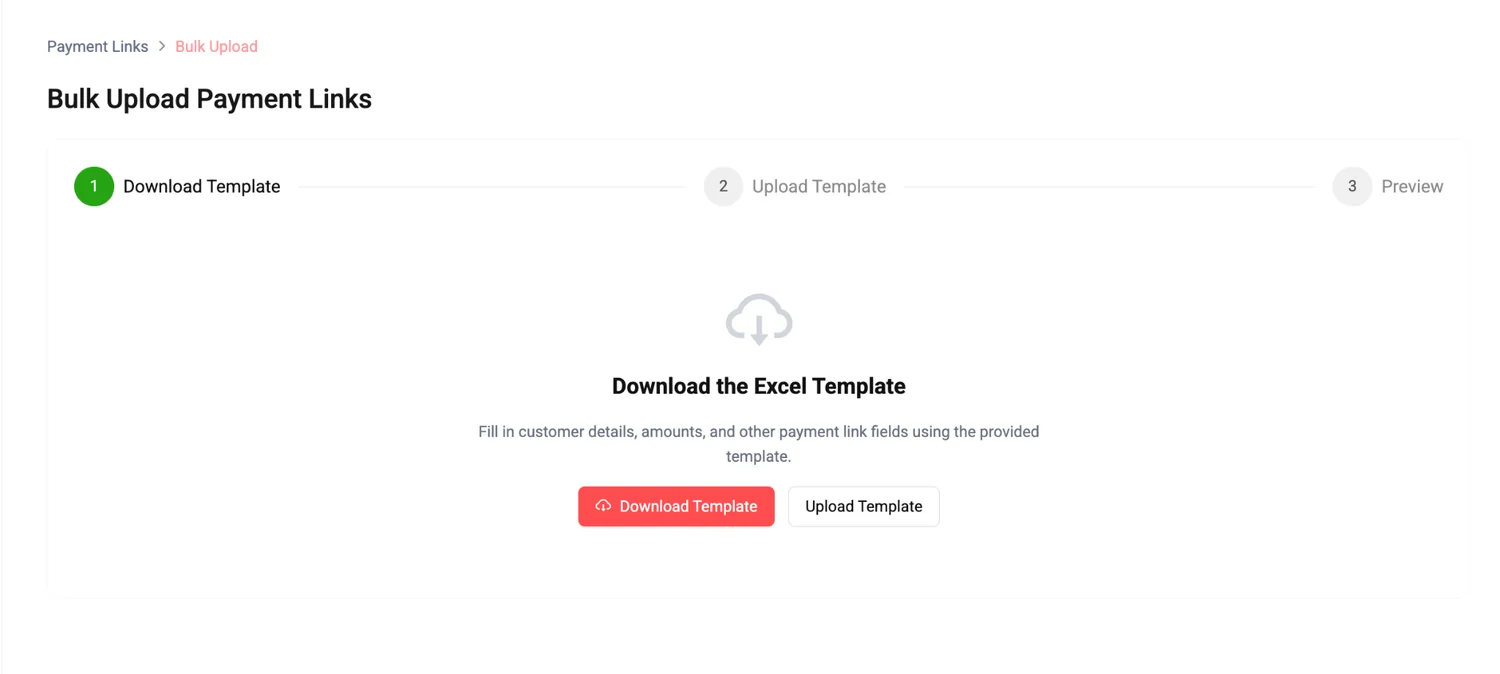
When one-by-one creation is not enough, Peko gives your team a structured bulk-upload workflow.
Download the template and fill in customer, amount and payment-link details.
Upload the completed file instead of manually creating each link.
Preview before processing through a clear three-step bulk-upload flow.
The campaign pricing provided for Peko Payment Links is 2.5% + 50 fils MDR per successful transaction, with no onboarding or registration fees.
If the total settlement amount exceeds AED 250, settlement occurs on the next business day (T+1). If the total is below AED 250, it remains on hold until cumulative payments exceed AED 250, after which the full amount is settled on the next business day.
Yes. The Payment History view shows requested amounts, received payments, pending payments and individual payment-link status.
Yes. Peko includes a bulk-upload workflow using a downloadable Excel template, upload step and preview step.
Yes. Peko Payment Links support multiple currencies, including AED (UAE Dirham), SAR (Saudi Riyal), BHD (Bahraini Dinar), KWD (Kuwaiti Dinar), QAR (Qatari Riyal), OMR (Omani Rial), JOD (Jordanian Dinar), USD (US Dollar), EUR (Euro), EGP / LE (Egyptian Pound), and GBP (British Pound).
Share your details at the top of the page, then continue directly to Peko account registration.